My MacBook’s trackpad had been misbehaving for more than a year. A single press could produce a whole series of clicks. Holding my finger still made it particularly obvious: I could feel and hear the trackpad repeatedly clicking underneath it.
Dragging was annoying in a very specific way. I could eventually drag something, but first I had to get through that initial burst. Once I moved my finger, it would usually settle down. Light taps worked fine. Pressing was the problem.
I’d already reinstalled macOS and installed updates. Neither had helped. I wanted to keep using an ordinary press to click and drag, so I asked Codex whether we could investigate the actual events and do something about them in software.
I used GPT-6.1 Sol with reasoning set to Extra High. It built the diagnostic tools, investigated the macOS input and haptic interfaces, and wrote the app that came out of the investigation. I pressed the trackpad, tried the builds, and reported what I could actually feel. That last part turned out to matter quite a lot.
Giving the problem something to record
We started with click recordings, then moved to a native Swift app called Trackpad Lab. A browser could show repeated mouse events, but I wanted to know what was happening further down the input path too.
Codex built a recorder that could observe several layers together: AppKit mouse events and pressure stages, Quartz mouse events, finger contacts inside the test view, and device reports through IOHID. It opened the trackpad interfaces without taking exclusive control, so macOS kept receiving input normally.
The test had a simple sequence. Press and hold the blue box, release, then press and drag it. The app saved timestamps and events locally as JSON, and a Python script summarised the downs, ups, pressure stages, and gaps between edges.
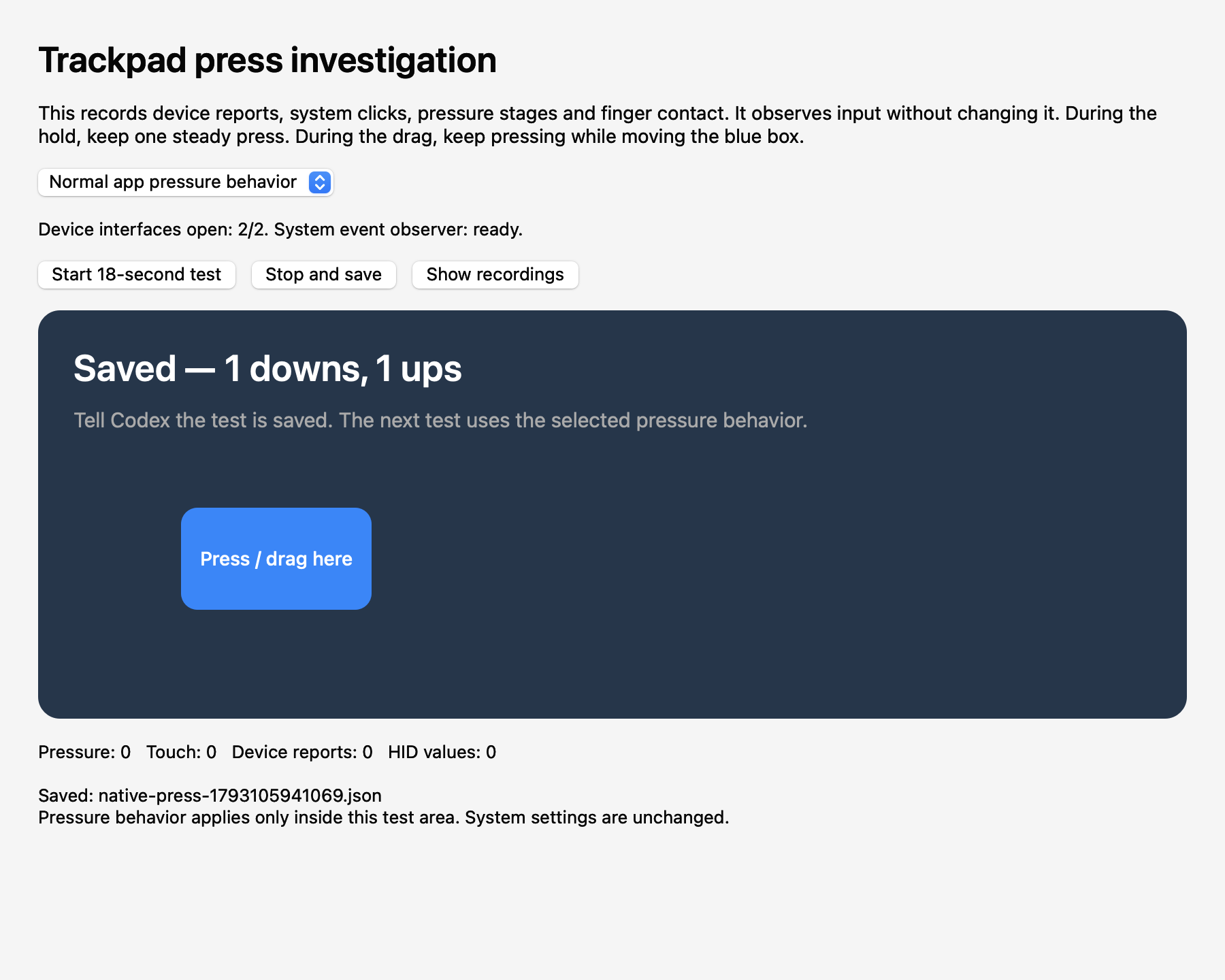
That gave us a way to compare what apps received with what the device reported. It also made the tests repeatable enough to compare changes. AppKit pressure is already processed by macOS, though, and we hadn’t decoded the raw vendor reports into independent force measurements. The recordings could show repeated button transitions without telling us exactly which sensor or firmware component was responsible.
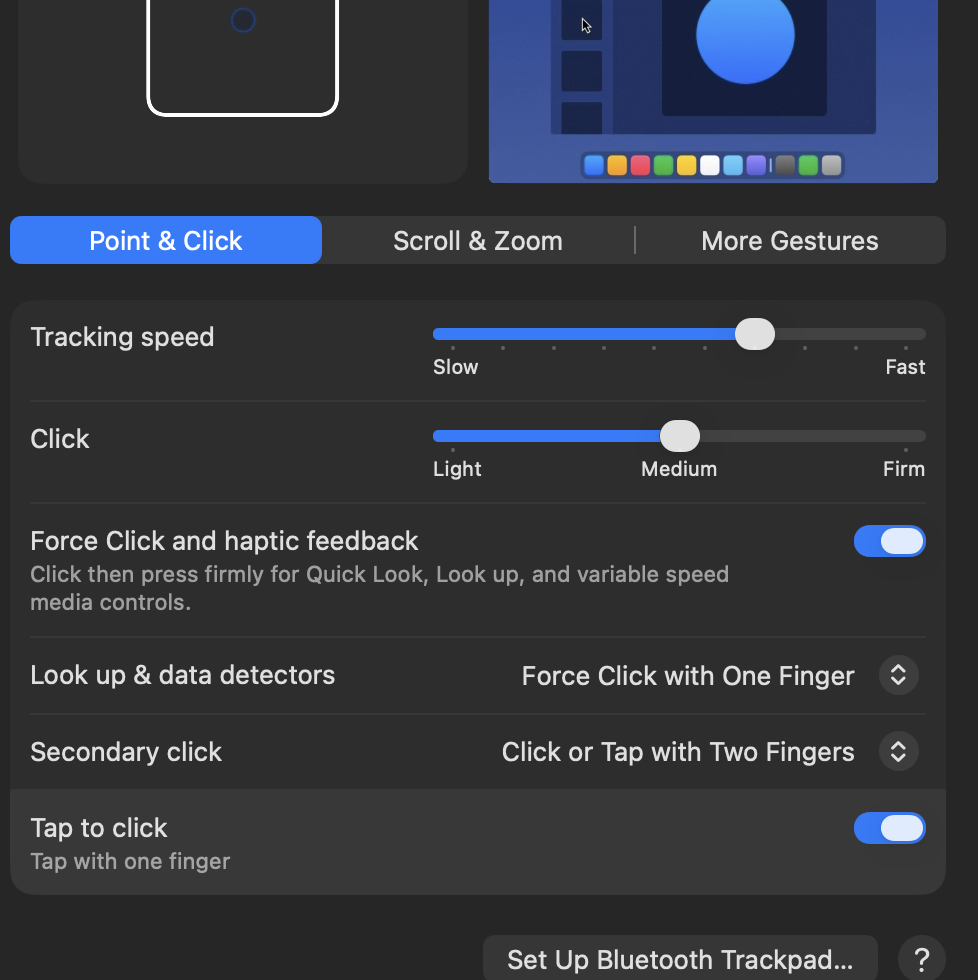
We also tried the simpler pressure behaviour available to the test app. The clicks still repeated.
A better click counter wasn’t enough
The first workaround concentrated on the mouse events. Keep one logical button down while the hardware reports a burst of downs and ups, then release it once the press is over. That could make an app see a continuous hold and allow a drag to continue across brief false releases.
But I was still feeling multiple clicks.
This took a few exchanges to get across. Codex was looking at the event counts, and I kept pointing out that the trackpad itself was still clicking underneath my finger. Even if an app received one down and one up, the thing I was trying to use still felt broken.
We needed control over both the events reaching apps and the physical feedback. Filtering the first didn’t automatically stop the second.
Finding a way to quiet the trackpad
Codex went looking for a lower-level way to control the actuator. Existing work in SlabPad provided a reference for private MultitouchSupport interfaces that read and change whether system actuations are enabled.
The important pair was:
MTActuatorGetSystemActuationsEnabled
MTActuatorSetSystemActuationsEnabled
The app loads the framework dynamically, checks that the required symbols exist, saves the previous state, and verifies the state after changing it. These are private interfaces, so a successful build alone wouldn’t tell us whether they worked on my Mac.
When we muted automatic feedback, the repeated physical clicking stopped. A press registered once, but I felt no feedback at all. That was progress: we now had a way to stop the part that had kept bothering me.
The next attempt used AppKit’s haptic feedback performer to add a click back. With automatic actuations muted, I couldn’t feel that either.
Codex then used direct actuator calls, with interface references from MTMR and MTActuatorTest. It found the built-in SPI trackpad’s Multitouch ID through IORegistry, opened an actuator for that device, requested a waveform, and closed it again. The device ID comes from the machine rather than a hardcoded value copied from an example.
That version gave me one felt click, followed by quiet while I held my finger still. We finally had a useful physical result to build on.
Getting taps and double-clicks back
The first version with direct feedback had two obvious problems. Light taps now made a haptic click, and double-clicking wasn’t working properly. I also found the feedback too short compared with the usual pressing sensation.
A mouse-down event on its own doesn’t distinguish a light tap from a physical press. Both can become a click by the time an app sees them. Codex added nonexclusive reads of the built-in trackpad’s HID button state and matched its timestamps to the Quartz events. A physical button-down could then justify a replacement pulse; a tap could pass through quietly.
The callbacks don’t always arrive in the most convenient order. The app also handles a hardware callback arriving shortly after an already-delivered down, so it can confirm the physical press without delivering another mouse-down.
The double-click problem came from the release policy. An early approach delayed every release, which helped absorb false transitions but also got in the way of two intentional clicks. The revised version only bridges releases during the first 100 milliseconds after physical feedback starts. A later release passes through immediately.
Here’s the idea, with an illustrative sequence rather than a captured trace:
Reported button:      down  up down  up down ........ up
Delivered to apps:    down  ......................... up
Replacement haptic:  click
Repeated downs inside the same logical hold don’t produce another pulse. If the finger moves through a bridged interval, the app preserves a drag. It also keeps the event number consistent through the hold and rebuilds click counts from accepted presses, so two intentional clicks can reach Finder as a double-click.
We checked that with a harmless text file. Light taps stayed silent, a normal press gave one click, and double-clicking opened the file. That was much more convincing than another counter showing the expected total.
The 100-millisecond interval is a compromise for this fault. An extremely fast intentional sequence entirely inside it can still be ambiguous. We didn’t establish that it was the right value for every faulty trackpad.
Making the feedback feel more complete
The working direct-feedback version used waveform 1. I could feel it, but it was brief. Codex added a Normal profile using waveform 2, kept waveform 1 as Light, and offered Silent as well.
I then asked for feedback when releasing a press. The app now requests a lighter waveform after a completed physical hold. A tap or a suppressed false release doesn’t get one. Cleanup that releases a held button doesn’t get one either.
Release feedback is queued after mouse-up handling. Before sending it, the app checks that another press hasn’t started in the meantime. That avoids an old release pulse arriving in the middle of the next click. Turning the workaround off also invalidates queued feedback.
The release path was checked in the event tests and through successful actuator requests. Matching the exact feel of Apple’s normal press and release is still a subjective test. The earlier physical checks established that the repeated clicking stopped and that the basic tap, press, and double-click behaviour was usable again.
Turning the experiment into something I could leave running
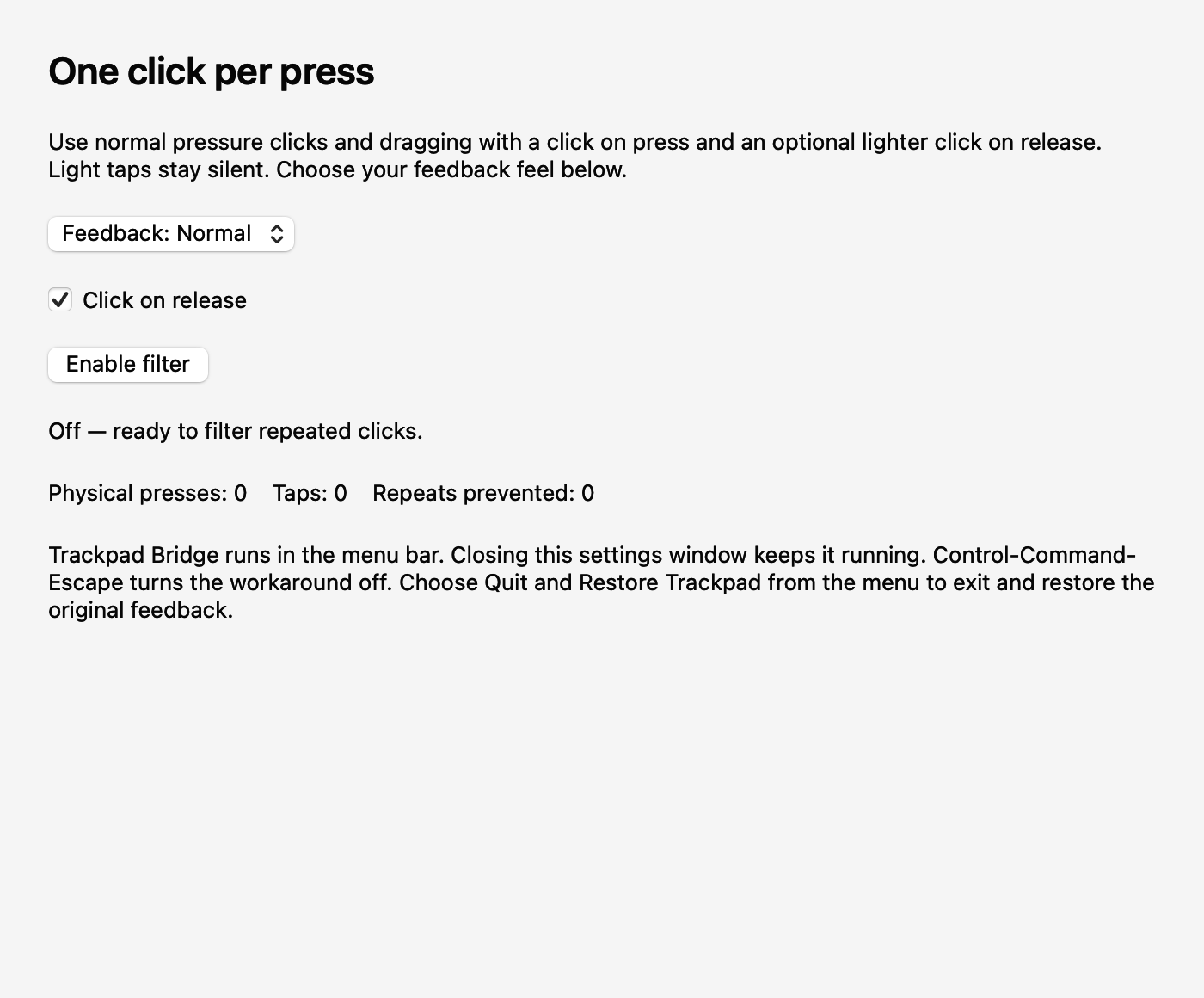
Once clicking worked, I wanted a small utility in the menu bar and a way to keep it running after restarting the Mac. The result is Trackpad Bridge, a Swift AppKit app with controls for enabling the workaround, choosing feedback, adding release feedback, and starting at login.
For startup, it uses Apple’s
SMAppService.mainApp
login-item registration. It runs after I sign in, reads the saved preferences,
and can enable the workaround without a Codex session or a terminal left open.
The installed app needed its own Accessibility and Input Monitoring permissions;
working when launched from Codex hadn’t established that independent launch
would work too. We granted those permissions and verified a separate relaunch
with startup registration enabled. A full reboot wasn’t part of that check.
The menu includes Quit and Restore Trackpad, and Control-Command-Escape turns the workaround off. Normal shutdown restores the saved automatic-feedback state and releases any logical button hold. There’s also a recovery helper for restoring feedback if a crash or forced kill prevents that cleanup. The app reapplies muting after wake while it’s enabled.
Everything runs locally. It writes diagnostic state under Application Support, doesn’t save keyboard input, and doesn’t use the network.
What I ended up with
Codex did a lot of useful work beyond writing the final filter. It built a recorder when click counts weren’t enough, found existing actuator research, worked through the direct-feedback path, and handled the awkward timing around taps, dragging, and double-clicks. It also packaged the result into something I could leave running. GPT-6.1 Sol deserves credit for carrying that investigation forward. I hadn’t asked for a diagnostic app or an actuator controller by name; it worked out those next steps as the tests narrowed the problem.
It also needed my corrections. The repeated confusion between software events and what I physically felt was a real part of the process. The eventual checks had to include my finger on the trackpad and Finder opening a file. Automated integration checks covered event transformations, timers, release-pulse cancellation, and emergency cleanup without generating physical feedback.
The hardware fault is still there underneath the workaround. We haven’t repaired or recalibrated a sensor, and the private interfaces could change in a macOS update. The replacement currently covers primary clicks; it doesn’t recreate every secondary-click, Force Click, or app-specific haptic pattern. This was tested on my built-in trackpad, with other pointing-device combinations still needing physical verification.
But the part I use every day became usable again: a press produces one click, holding it stays quiet, and I can drag or double-click without fighting the initial burst. I’d started with a hardware problem I’d lived with for a year and ended up with a small app controlling the input and the actuator together. Getting that result without replacing the trackpad felt like a fairly good bit of programming magic.